Shopify local delivery, dispatched by your own drivers.
Create one webhook in Shopify and every new order appears on the PrivateMile board with the customer, address and items attached — ready to assign, or assigned automatically.
How it connects
From a Shopify order to a driver’s phone.
Nothing to install on your store and nothing to keep updated — the connection is a webhook you create once.
01
Create the Shopify integration in PrivateMile
Settings → Integrations → Shopify. PrivateMile generates a unique webhook URL and a signing secret for your store.
02
Add the webhook in Shopify
Shopify admin → Settings → Notifications → Webhooks. Paste the URL, choose JSON, and subscribe to Order creation — plus Order paid, Fulfillment created and Order cancelled if you want those events too. Shopify signs every payload with your secret.
03
Dispatch as usual
New orders appear on the board within seconds. Assign them by hand, let the optimizer plan the route, or let auto-dispatch pick the driver. The customer gets a tracking link the moment a driver is assigned.
What flows in
Every field the driver needs, already on the stop.
Orders arrive with the customer, address, items and notes attached — dispatch never retypes anything.
- Customer name, phone and email
- Shipping address, geocoded to a map pin
- Line items and quantities
- Shopify order number, carried as the reference
- Customer note from checkout
- Cancellations, when you subscribe to that event
Where it lands
An order from Shopify: on the board, on the driver’s phone, on the tracking page.
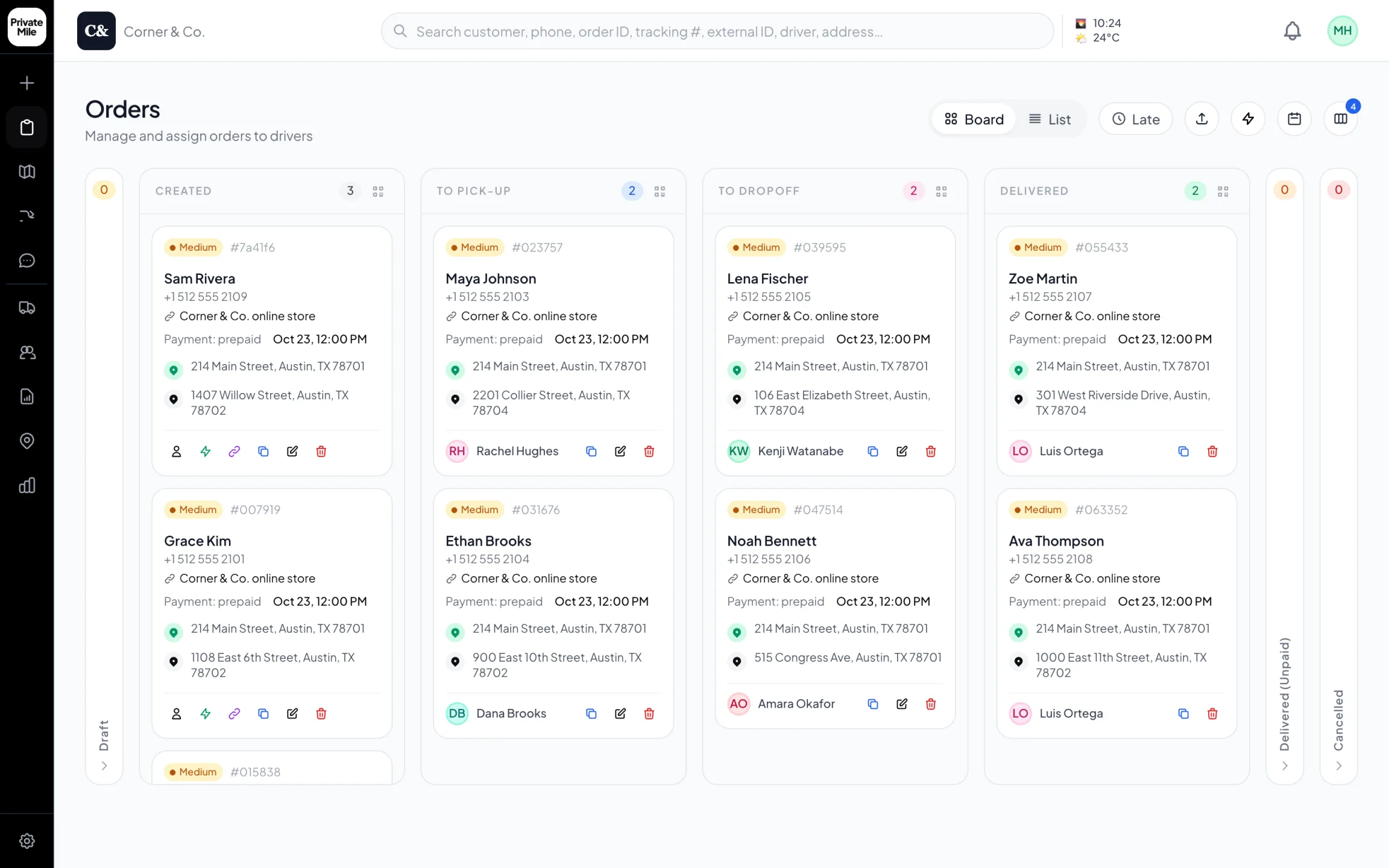
Dispatch board
Every order on one board, the moment it’s placed — online store orders included.
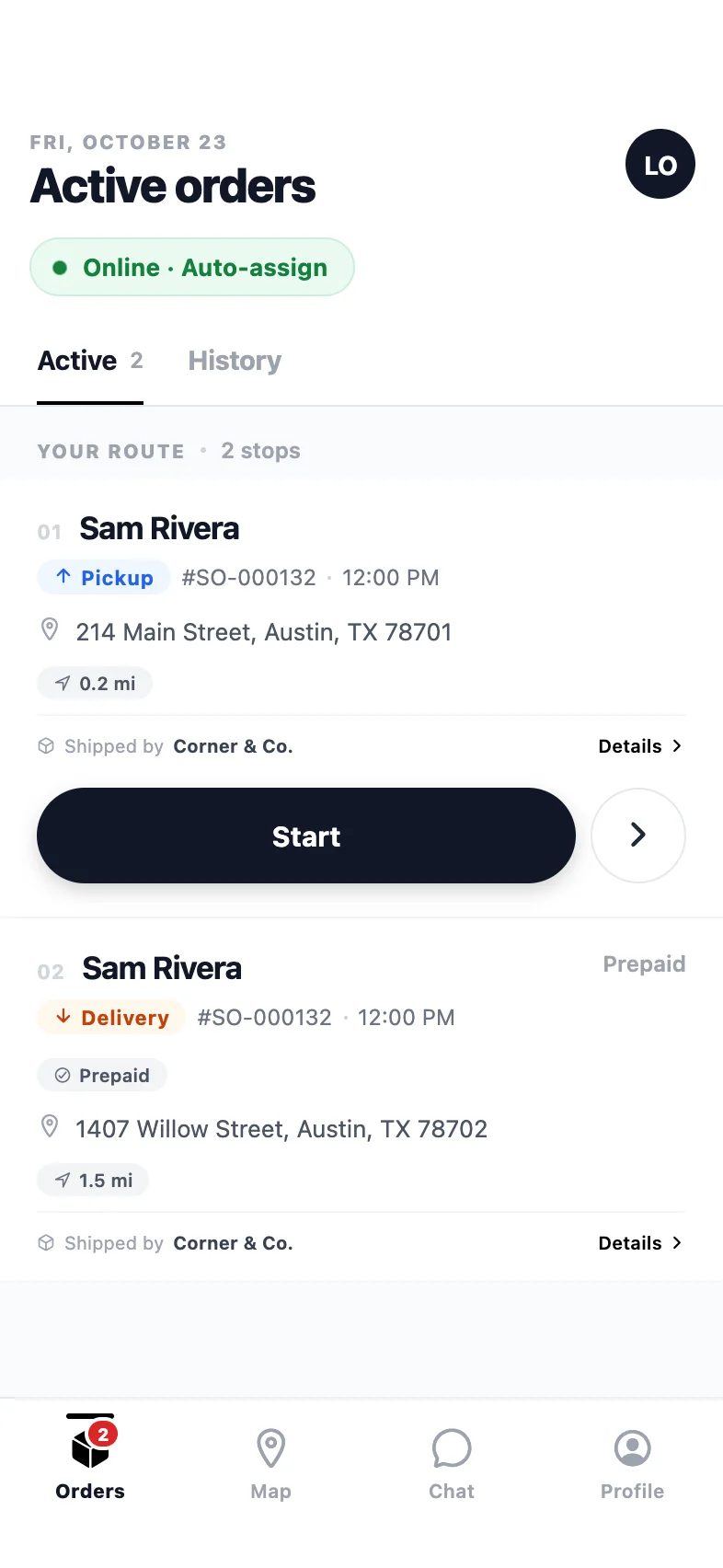
Driver app
The route in order: pickup first, then the drop-off, one clear action per stop.
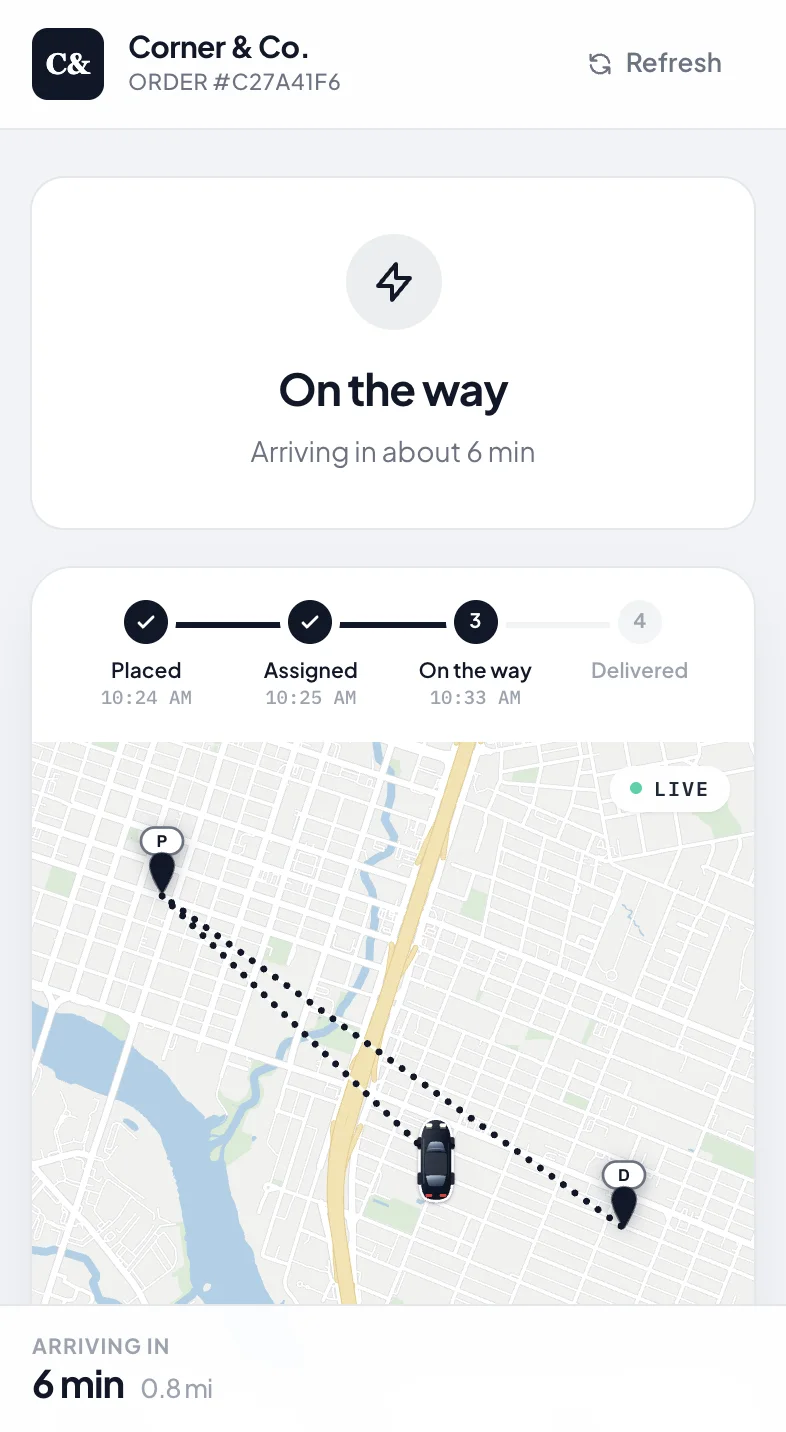
Tracking page
No app needed: a tracking link under your name, live while it’s on the way.
After the order lands
What your customers notice.
Tracking that looks like your store
A live map, arrival window and “arriving soon” message on a page with your logo — not a carrier’s. Automatic SMS and email at every status change.
Proof at the door
Photo, signature and notes captured by the driver and attached to the order, ready if a customer disputes a delivery.
Zero retyping
The address, items and note come across exactly as the customer entered them. Dispatch assigns; nobody copies anything.
How the Shopify connection works
Shopify’s webhooks send an HTTP POST to a URL you choose whenever something happens to an order. PrivateMile gives each Shopify integration its own URL and its own signing secret. You paste both into Shopify, subscribe to the events you care about, and Shopify does the rest.
Every incoming payload is verified against the secret using a timing-safe comparison before PrivateMile reads it, and each Shopify webhook ID is recorded so a retried delivery of the same event cannot create a second order. Bad addresses are geocoded on arrival; if one cannot be located, the order is still created and flagged for dispatch to fix.
What dispatch sees
A new order card with the customer, their phone, the shipping address on the map, the line items and any note from checkout. The delivery window defaults to your organisation’s setting unless the order carries its own. From there it is an ordinary PrivateMile order: plan it, assign it, track it, prove it.
What the customer sees
A tracking link on a page that carries your brand and, if you like, your domain. Live driver location, an arrival window, an “arriving soon” message, and a delivered notification with the proof photo. Nothing about PrivateMile appears.
Beyond local delivery
Out-of-area Shopify orders can hand off to FedEx, UPS or DHL from the same board, with live tracking. Delivery events — assigned, in progress, completed, failed, payment collected and more — are available as outbound webhooks and Zapier triggers, so your other systems can follow along.
Is there a Shopify app to install?
No install on the Shopify side. The connection is a webhook you create once in Shopify’s settings, pointed at the URL PrivateMile gives you. There is nothing to keep updated in your theme or checkout.
How is the connection secured?
Shopify signs every payload with the secret you paste in; PrivateMile verifies the signature before touching the order. Retries are recognised by Shopify’s webhook ID, so a resent event never creates a duplicate order.
Which Shopify events should we subscribe to?
Order creation is the one that matters. Add Order paid if you only want to dispatch paid orders, Fulfillment created if you mark fulfilment elsewhere, and Order cancelled so a cancelled order is closed on the board.
Does delivery status go back into Shopify?
Delivery status goes to your customer directly — through PrivateMile’s tracking page, SMS and email — rather than being written back into Shopify’s fulfilment status. If you need status in another system, outbound webhooks and Zapier can forward every delivery event.
Other integrations
Plugs into what you already run.
Connect Shopify in an afternoon.
Create the integration on the trial, paste one webhook URL into your store, and watch the next order appear on the board.
Questions first? Tell us about your delivery day — or sign in.