Delivery dispatch for everything Zapier can reach.
A form submission, a spreadsheet row, a CRM deal, an order in a store we don’t connect to directly — if Zapier can see it, it can become a PrivateMile order. And every delivery event can trigger a Zap back.
How it connects
From a Zapier order to a driver’s phone.
Nothing to install on your store and nothing to keep updated — the connection is a webhook you create once.
01
Create the Zapier integration in PrivateMile
Settings → Integrations → Zapier. PrivateMile issues an API key and a webhook URL for your organisation.
02
Build the Zap
For orders in: your app’s trigger → PrivateMile Create Order, mapping the customer, address, items and window. For events out: PrivateMile New Order (or another delivery event) → whatever should happen next.
03
Map the fields once
Field mappings translate your app’s names into PrivateMile’s — a Typeform field becomes a delivery instruction, a Sheets column becomes a time window. Set once, applied to every Zap run.
What flows in
Every field the driver needs, already on the stop.
Orders arrive with the customer, address, items and notes attached — dispatch never retypes anything.
- Orders in: customer, address, items, notes, window — from any Zapier trigger
- Events out: order created, assigned, in progress, completed, failed
- Events out: payment collected, pickup completed, route optimized
- Events out: driver and warehouse changes
- Rate-limited per integration so a runaway Zap cannot flood the board
Where it lands
An order from Zapier: on the board, on the driver’s phone, on the tracking page.
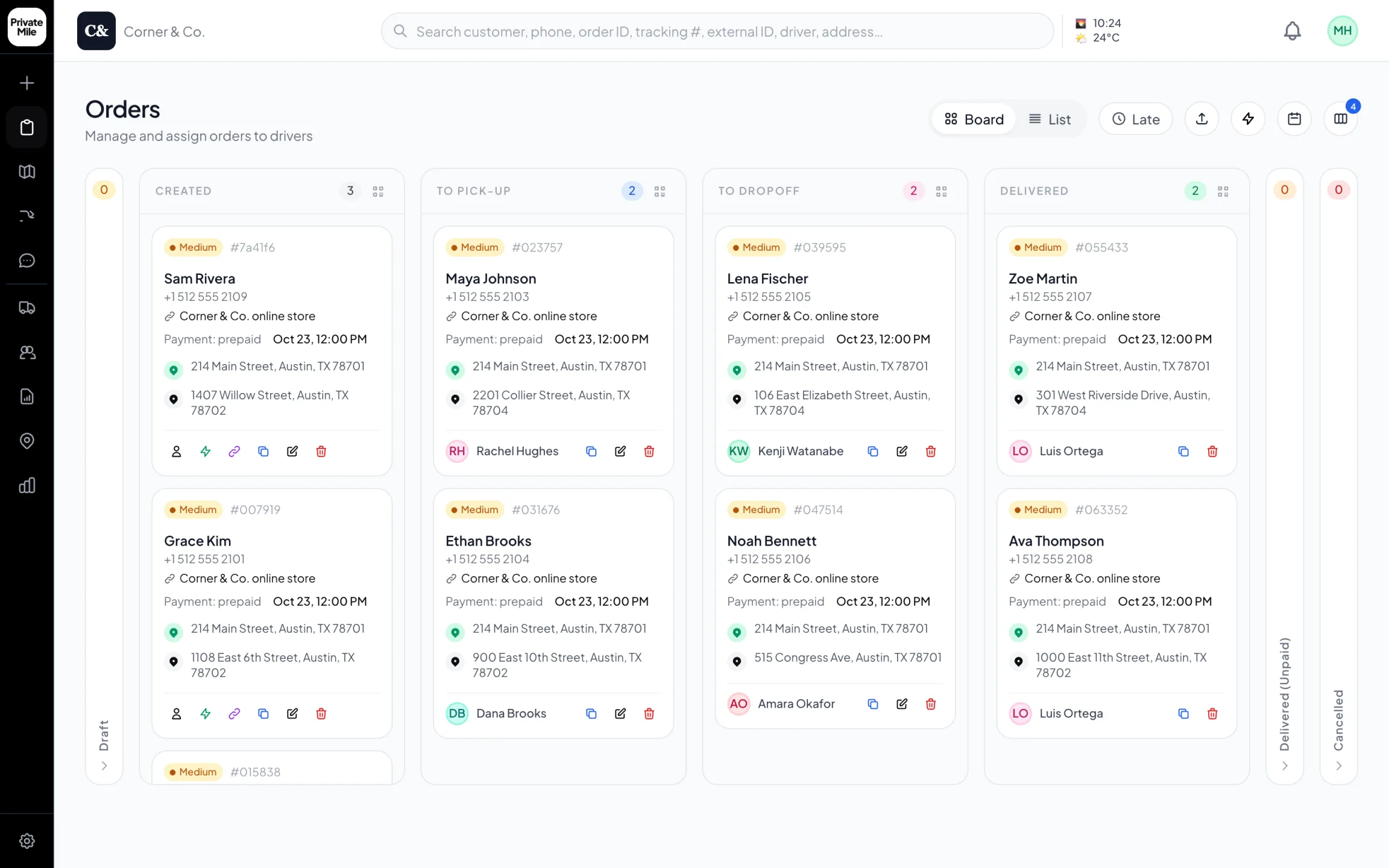
Dispatch board
Every order on one board, the moment it’s placed — online store orders included.
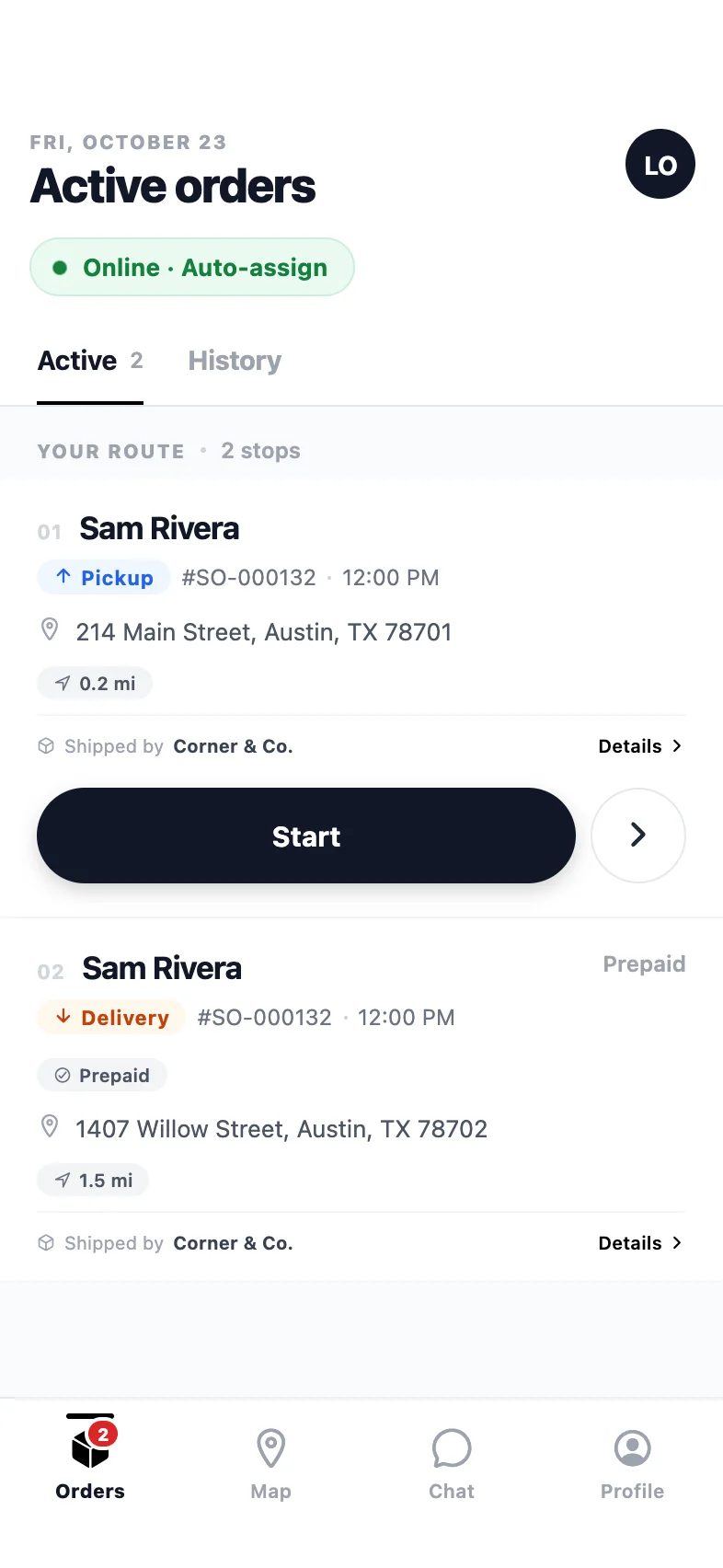
Driver app
The route in order: pickup first, then the drop-off, one clear action per stop.
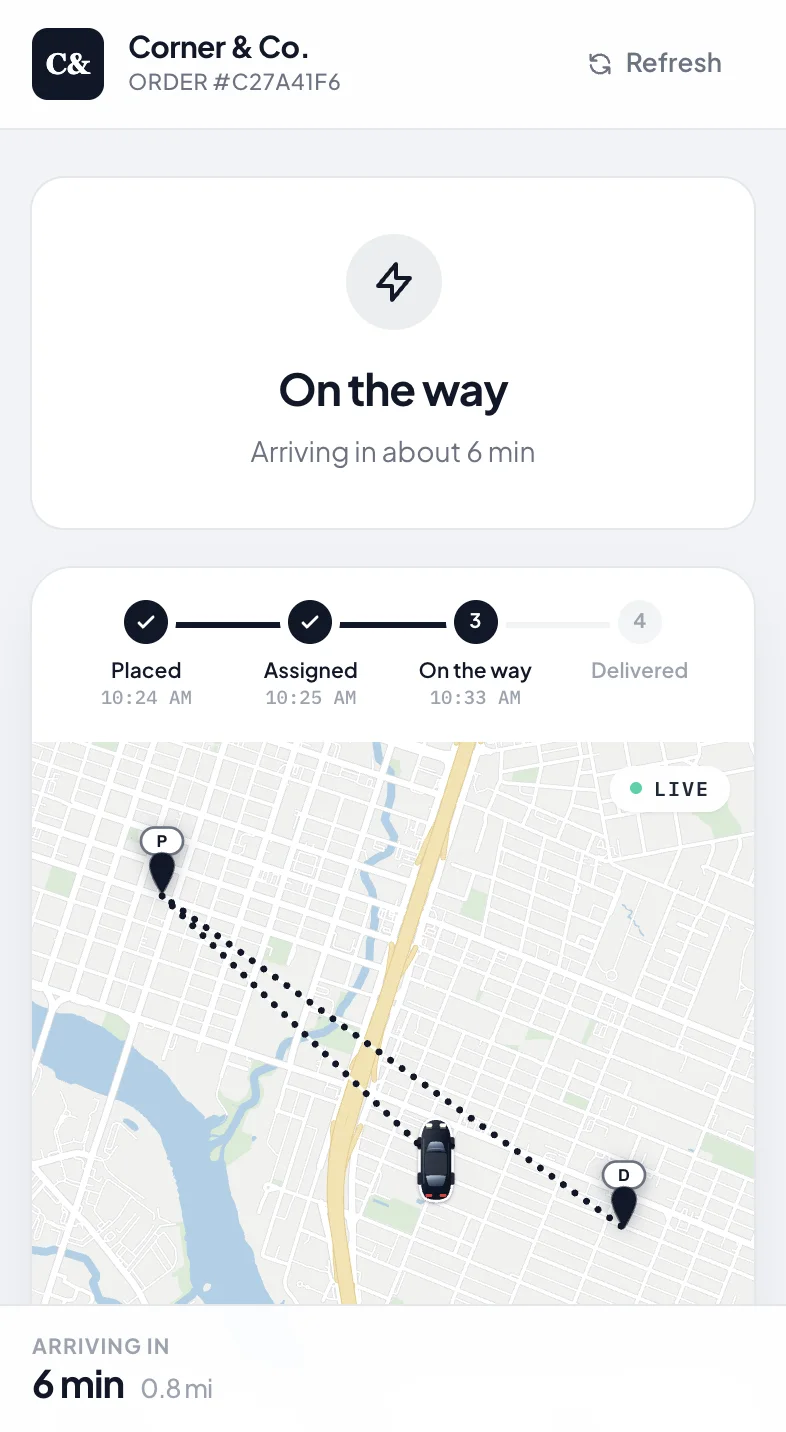
Tracking page
No app needed: a tracking link under your name, live while it’s on the way.
After the order lands
What your customers notice.
Orders from anywhere
Google Forms, Typeform, Sheets, HubSpot, Airtable, an email parser — any Zapier trigger can create a delivery with the fields dispatch needs.
Your systems follow the delivery
Post to Slack when an order fails, update a CRM when it completes, append a row when payment is collected. Every delivery event is a trigger.
Stores we don’t connect to directly
Squarespace, Etsy, custom carts — if Zapier has a trigger for a new order, it can land on the PrivateMile board.
Two directions
Zapier connects PrivateMile in both directions. Orders in: any trigger Zapier offers becomes a Create Order action, so a booking form, a spreadsheet, a CRM or a store we do not integrate directly can feed the dispatch board. Events out: PrivateMile publishes delivery events that Zapier subscribes to, so the rest of your tools follow the delivery as it happens.
Orders in
The Create Order action takes a customer, an address and a contact, plus optional items, notes, a reference and a time window. Field mappings translate your app’s field names into PrivateMile’s once, and then every run uses them. Addresses are geocoded on arrival; an address that cannot be found still creates an order and flags it for dispatch. Each integration has its own API key and rate limit.
Events out
PrivateMile publishes a delivery event whenever something meaningful happens: an order is created, assigned, started, completed, failed or cancelled; a task changes state; a pickup completes; a payment is collected at the door; a route is optimized; a driver, location or warehouse is changed. A Zap subscribes to the events it cares about and does the next thing — a Slack message when an order fails, a CRM update when it completes, a row in a sheet when cash is collected.
When to use the API instead
Zapier is the fastest path for a non-developer. If you have an engineering team and high volume, the REST API and outbound webhooks do the same work without a middleman.
What can trigger a Zap from PrivateMile?
Delivery events: order created, updated, assigned, in progress, completed, failed and cancelled; task created, assigned, started and completed; pickup completed; payment collected; route optimized; and driver, location and warehouse changes. Subscribe to the ones you need.
What does the Create Order action need?
At minimum a customer name, a delivery address and a contact. Items, notes, a reference and a delivery window are optional; anything you leave out falls back to your organisation’s defaults. Field mappings let you rename your app’s fields once.
How is it secured?
Each Zapier integration has its own API key, checked on every request, and its own rate limit so a misconfigured Zap cannot flood the board. Keys can be rotated from Settings.
We have a store you connect to directly. Do we still need Zapier?
Not for orders in — Shopify, WooCommerce, BigCommerce, Wix and Ecwid connect through their own webhooks. Zapier is useful for the other direction: reacting to delivery events in the rest of your stack.
Other integrations
Plugs into what you already run.
Connect Zapier in an afternoon.
Create the integration on the trial, paste one webhook URL into your store, and watch the next order appear on the board.
Questions first? Tell us about your delivery day — or sign in.