Grocery delivery software for fifty stops before lunch.
Grocery delivery is density and timing: many small stops, narrow windows, and a customer who planned their day around it. PrivateMile plans the route, keeps the windows honest, and keeps the driver moving.
In the product
Fifty stops, one plan, and the route in order on every phone.
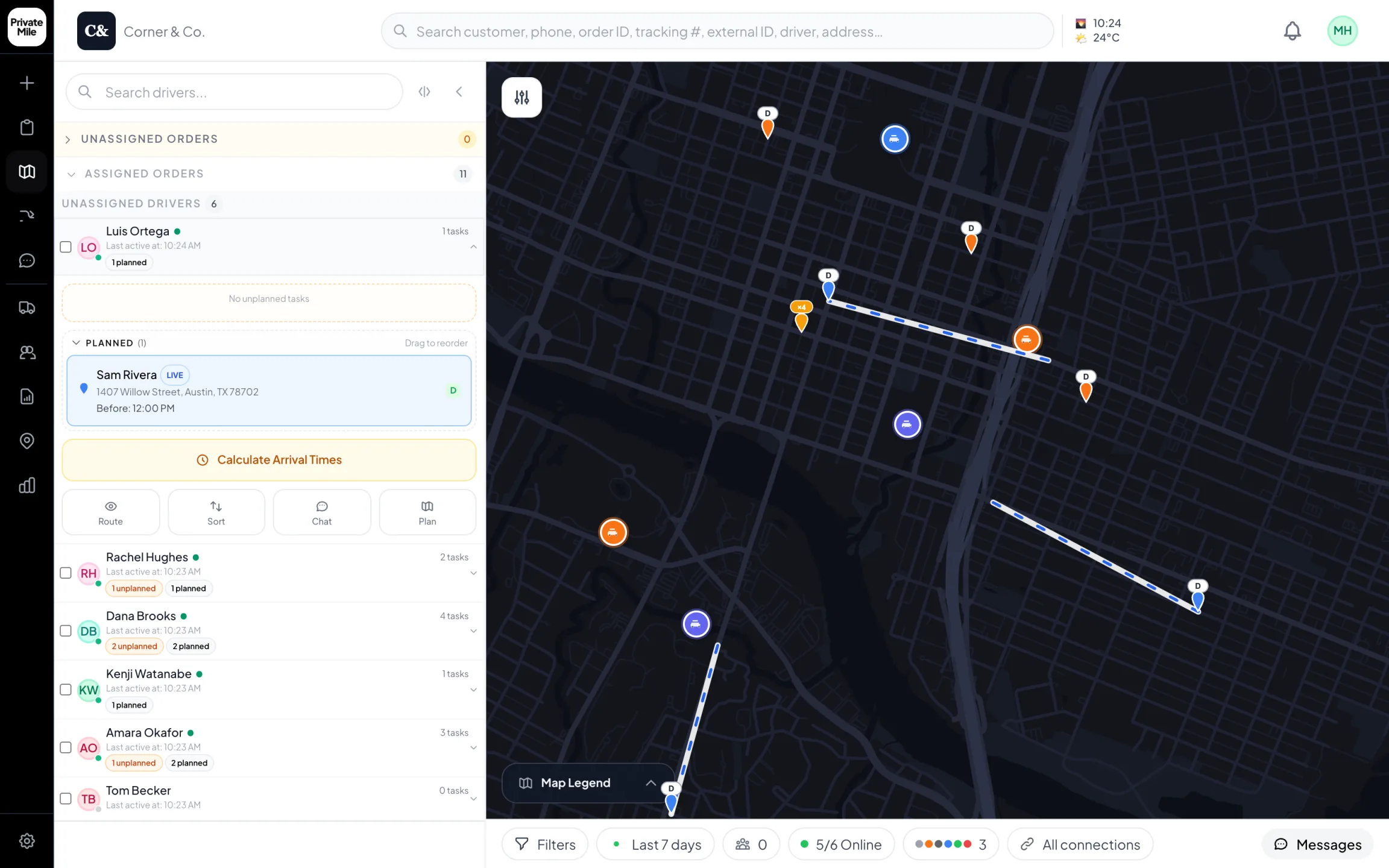
Planning map
Every driver live on one map. Open a driver to see the stop they’re on and the ones after it.
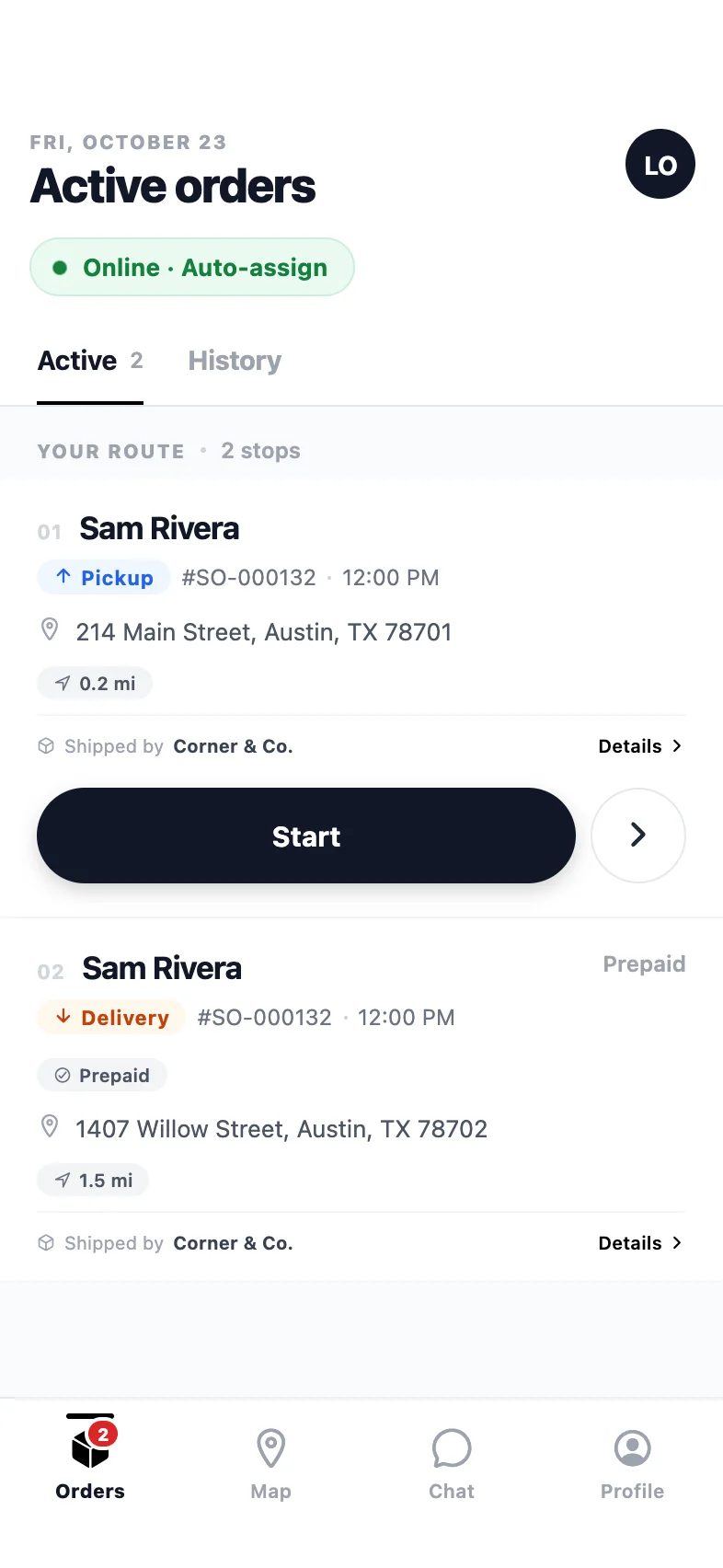
Driver app
The route in order: pickup first, then the drop-off, one clear action per stop.
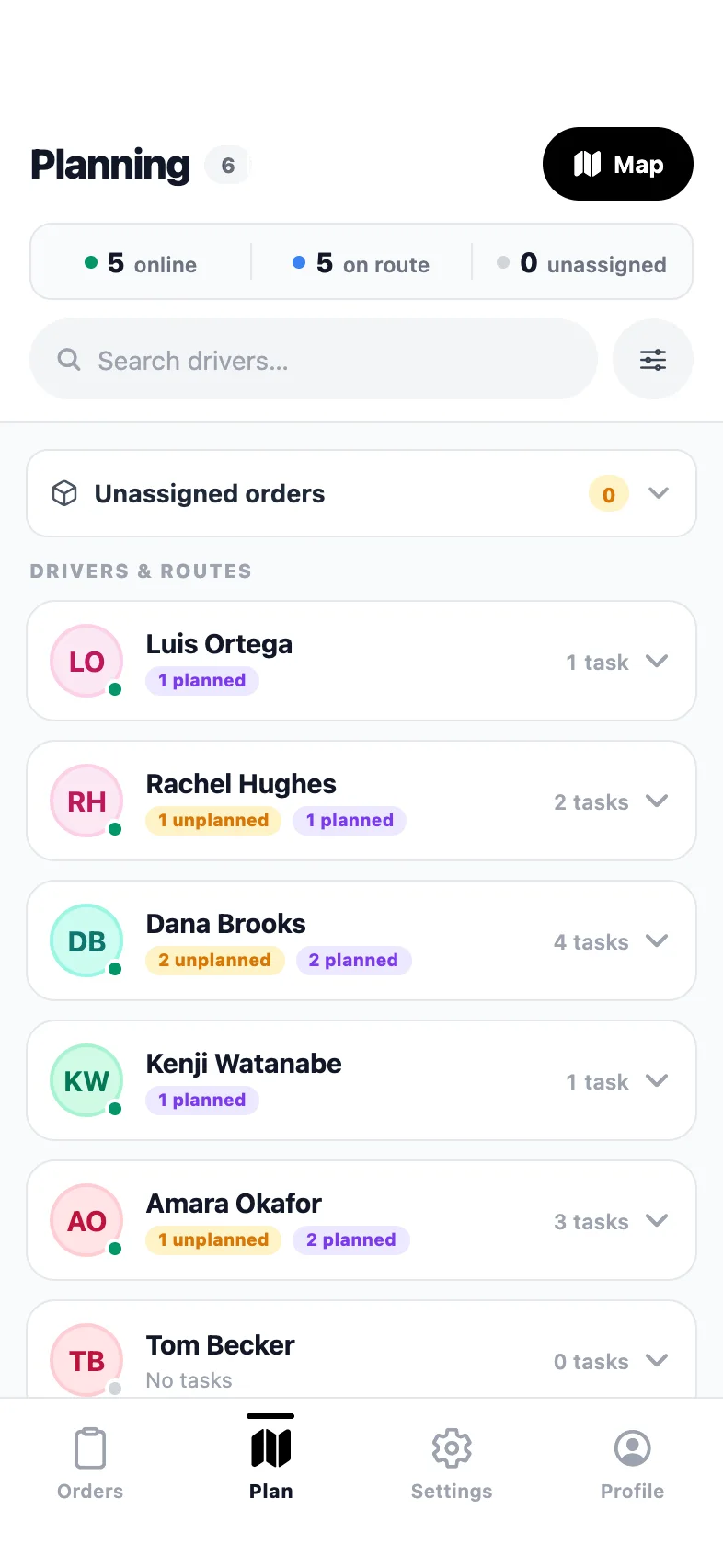
Admin app · Planning
Who’s online, who’s on a route, and how many stops each driver has.
Why grocery & essentials teams pick it
Built for the way your deliveries actually go.
Dense routes, shorter days
One tap proposes a shorter stop order across dozens of deliveries. Dispatch reviews it as a list and on the map, then applies it — and the driver’s phone updates.
Windows that hold
Delivery windows sit on every order. Traffic-aware ETAs recalculate as the route runs, and a stop about to miss its window is flagged in time to do something about it.
A driver app for the rush
One stop at a time, one action per screen, navigation handed to the maps app they already use. Works offline in the loading dock and syncs when signal returns.
Customers who stop calling
Automatic SMS and email at every status change, a live map and an “arriving soon” message — all under your store’s name.
A grocery morning on PrivateMile
Orders land overnight from your website or ordering system, or arrive as a spreadsheet in the morning — up to 2,000 rows in one import, with any bad address reported rather than silently dropped. Each order carries its delivery window.
Dispatch groups by area, then lets the optimizer propose the stop order for each driver. The proposal appears as a list and on the map; nothing changes until dispatch applies it. A planning timeline shows when each driver reaches each door, so a 9–11am promise is checked against the clock before the vans leave.
On the road
The driver app is built for pace: the next stop, the customer’s note, one big button. Navigation hands off to Google Maps or Apple Maps. Arrival is detected automatically by geofence. At the door, whatever proof your rules require — often a photo of the bags at the doorstep — and a cash or card collection if the order needs it. In a loading dock with no signal, everything is stored on the phone and synced later.
Keeping windows honest
ETAs are traffic-aware and update as the route runs. When a stop is on track to miss its window, dispatch sees a flag with time to act: move one stop to a nearer driver, or message the customer before they notice. Customers see the updated arrival time on their tracking page, which carries your store’s name and logo, not ours.
More than one store
Every store is a warehouse with its own zone, drivers and reports. Auto-dispatch by zone keeps each store’s orders with its own drivers. Reports show on-time rate, stops per hour and cost per delivery, measured from work actually completed. Plans are priced by order volume, so seasonal drivers cost nothing extra.
Also in the box
And everything else, on every plan.
Live GPS tracking
Every driver on one map, updating in real time.
Bulk import
Up to 2,000 orders per CSV with per-row error reports.
Zones & warehouses
Multi-depot operations with geofenced service areas.
Proof of delivery
Photo, signature, notes — and QR-verified parcel handoffs.
How many stops can a route handle?
Route optimization is built for dense local routes — dozens of stops per driver — and delivery windows are respected in the proposed order. Bulk import takes up to 2,000 orders per CSV for the days when everything arrives at once.
Can customers choose a delivery window?
Windows are set on the order — from your website, your ordering system or by dispatch — and carried through planning, the driver app and the customer’s tracking page.
How does it handle multiple stores?
Each store is a warehouse with its own zone and drivers. Orders route to the right store automatically, and reports break down per site.
Can we take payment at the door?
Yes. Cash, card and cheque on delivery are recorded in the driver app the moment they are collected, with the amount and method on the order.
Other industries
Same platform, different days.
See it with your own orders on the board.
Import today’s deliveries, add your drivers, and run one real day on the 15-day trial — no card, no sales call required.
Questions first? Tell us about your delivery day — or sign in.