Auto parts delivery software for four runs a day.
Parts distribution is not one delivery round; it is a scheduled loop repeated all day, punctuated by the urgent job that cannot wait for the next run. PrivateMile handles both on one board.
In the product
Each order to the right driver, by rule, in one click.
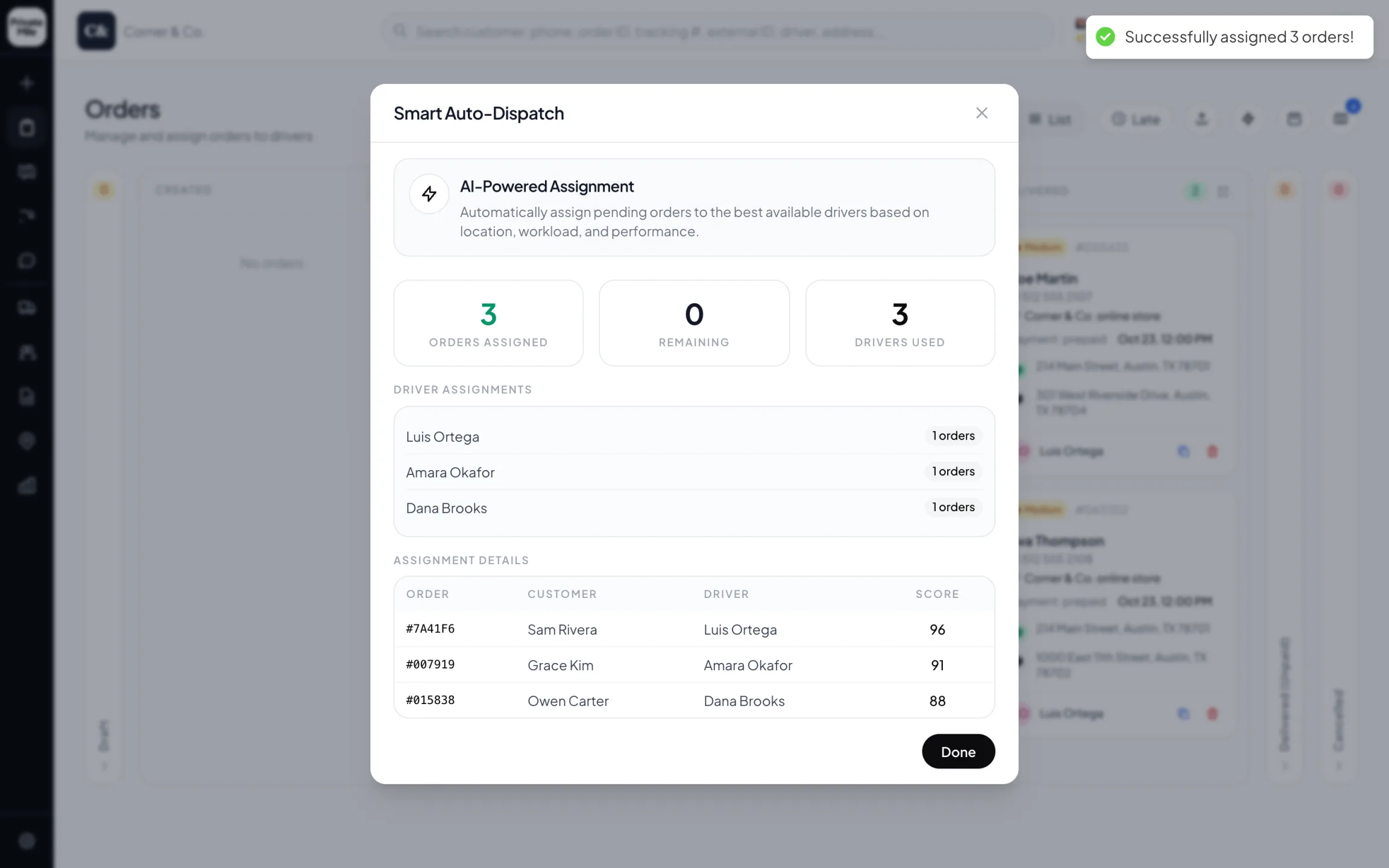
Smart Auto-Dispatch
Three pending orders placed in one click — each with the driver chosen and the score behind it.
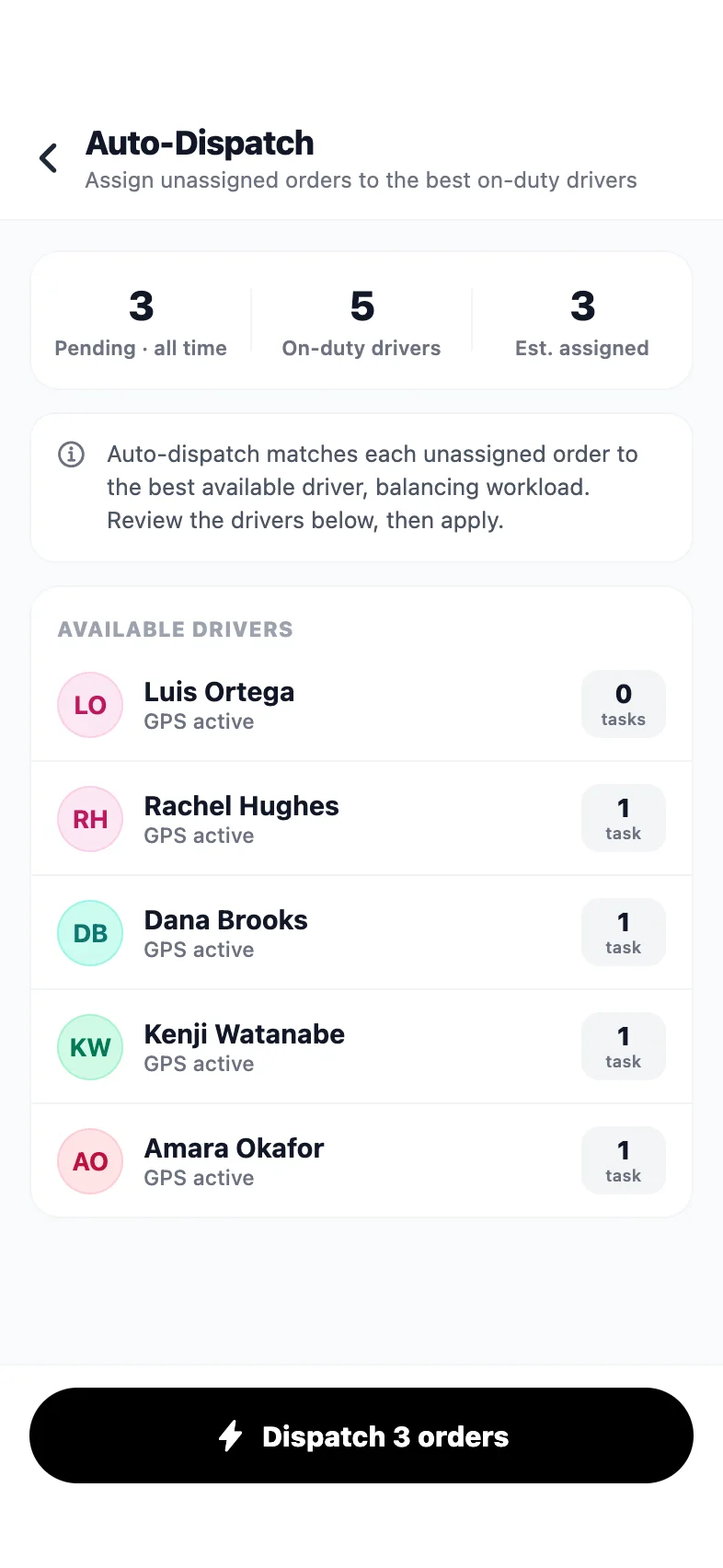
Admin app · Auto-dispatch
Dispatch every pending order from your phone — the drivers and their workload first.
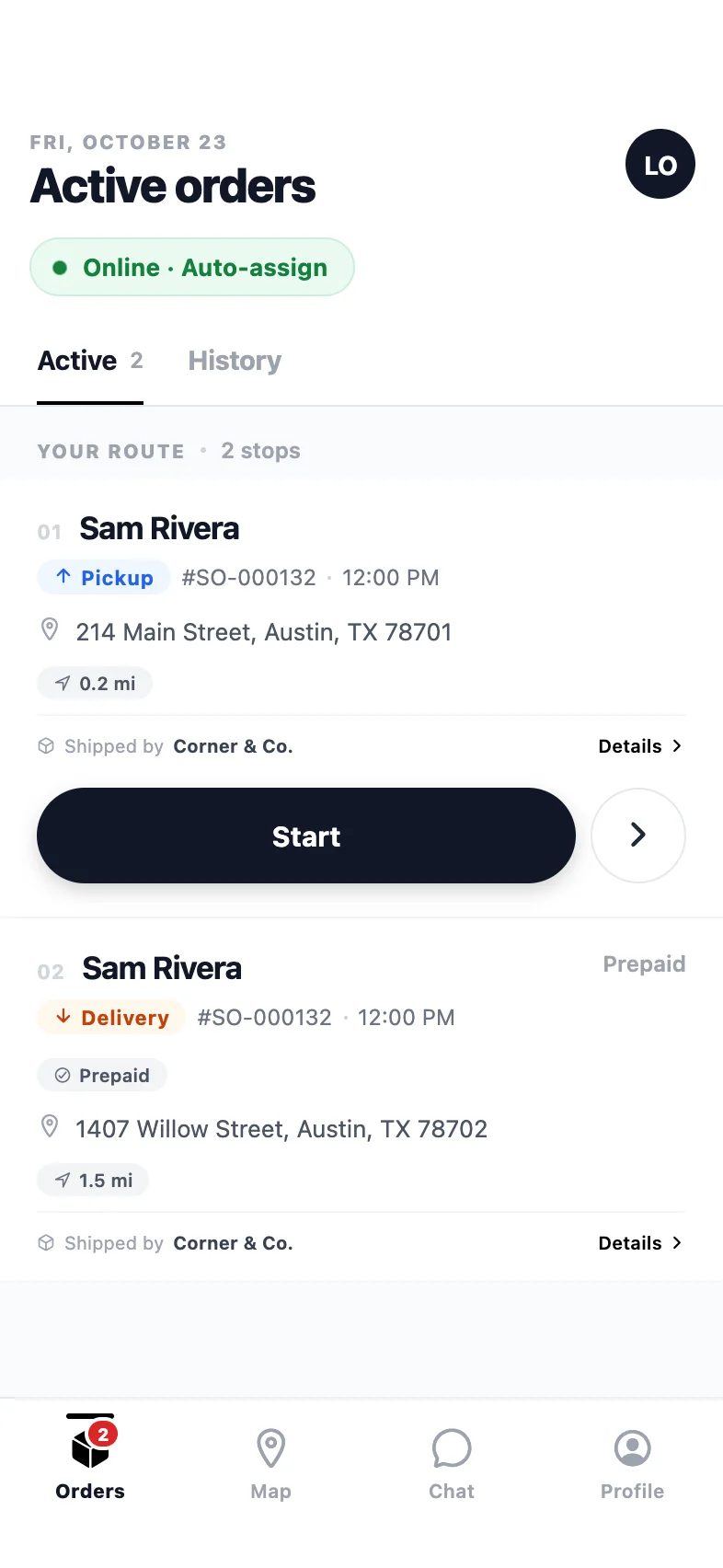
Driver app
The route in order: pickup first, then the drop-off, one clear action per stop.
Why auto parts distribution teams pick it
Built for the way your deliveries actually go.
Hot-shot without breaking the loop
An urgent part can be assigned to the nearest driver immediately, while the scheduled runs keep going. Auto-dispatch decides in seconds who can absorb it.
Repeating runs, replanned live
Set up the day's loops, then re-optimize when orders land mid-run. Completed stops stay done; the rest re-sequences and the driver's phone updates.
Proof the trade counter accepts
Signature with a printed name, a scanned part label bound to the stop, and a photo — so a disputed delivery to a busy workshop is a two-minute lookup.
Cost per van, measured
Every completed route adds real distance to the vehicle. Fuel and distance cost report per van and per driver, and service reminders fire at the mileage you set.
The shape of a parts day
Most distributors run a repeating loop: a morning run to the workshops, a midday run, an afternoon run, and a trickle of urgent jobs between them. The scheduled part is planning; the urgent part is dispatch. Tools that only do one of those force you to run the other on the phone.
On PrivateMile both live on the same board. Scheduled runs are planned against the clock so a driver’s loop actually fits between two branch departures. Urgent orders are auto-dispatched to whoever can absorb them, and the affected route re-sequences without anyone rebuilding it.
Proof that works at a trade counter
A workshop is a busy place and a delivery to one is easy to lose track of. Signature with a printed name is worth more here than on a doorstep, because the name is the checkable part. A scanned part label removes the other common dispute — the box that went to the right street and the wrong bay.
Knowing what the fleet costs
Parts vans do high mileage, and high mileage is where fleet costs hide. Assigning a van to a shift is enough to attribute every mile of every completed route to it, which turns fuel and distance cost per vehicle into a report rather than a guess — and makes the van that is quietly costing twice the others visible.
Also in the box
And everything else, on every plan.
Zones & warehouses
Multi-depot operations with geofenced service areas.
Proof of delivery
Photo, signature, notes — and QR-verified parcel handoffs.
Live GPS tracking
Every driver on one map, updating in real time.
Analytics & reports
On-time rates, driver leaderboards, scheduled exports.
Can we run several scheduled routes a day?
Yes. Plan each run separately or as a repeating shape, and re-optimize any of them mid-day as orders arrive. Drivers see only the run they are on.
How do urgent parts get dispatched?
Put the order on the board and let auto-dispatch assign it to the nearest available driver, or assign it by hand. Either way it appears on a phone in under a second.
Can we deliver from more than one branch?
Yes — each branch is a warehouse with its own zone and drivers, orders route to the right branch, and reporting breaks down per site.
Do you support scanning part numbers at the door?
Parcels can be QR- or barcode-labelled and scanned at the stop; a scan that does not belong to that stop blocks the completion, which prevents the classic right-driver-wrong-box error.
Other industries
Same platform, different days.
See it with your own orders on the board.
Import today’s deliveries, add your drivers, and run one real day on the 15-day trial — no card, no sales call required.
Questions first? Tell us about your delivery day — or sign in.